 Eyno

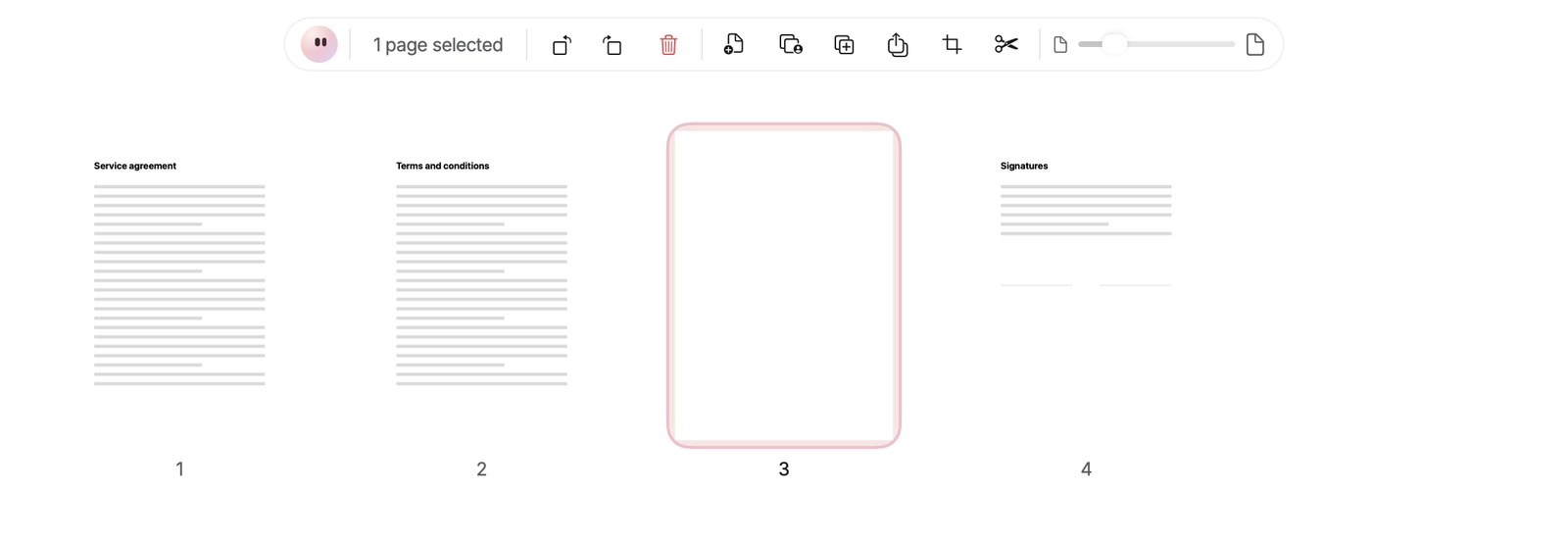
Paper won't take out the last page. If you try, it reminds you that a PDF keeps at least one page.
The same bar and the right-click menu cover the rest. Drag thumbnails to reorder them, several at a time if you like. Rotate left or right, Duplicate, or Extract the selected pages as a new PDF. Add a Blank page, Insert a PDF, or drop PDFs and images onto the grid, where each image becomes a page. That's a quick way to add a screenshot taken on your Mac to a report. Crop trims the pages, Split needs at least 2 pages, and the slider or a pinch on the trackpad changes the thumbnail size.
To join files, File > Merge PDFs… or ⌥ ⌘ M takes at least two PDFs and puts them together in file-name order. If you're starting from iPhone photos, Eyno Convert can turn several photos into a single PDF.
The Thumbnails column on the left, ⌥ ⌘ S, is only for navigating. Paper saves in place like any Mac document.
For the contract itself, the Sign tool in Annotate mode lets you draw your signature, type it in a handwriting font or import an image. It stays in this Mac's keychain. As the sidebar header puts it, Everything stays on this Mac, and no document is uploaded.